
Why does Microsoft Windows or my anti-virus software say that the MultiWalk download is a threat?
The Problem
Micosoft Defender, Norton and other antivirus software has a features such as “SmartScreen” or “Download Insight”. They use “reputation scores” to determine if an EXE file download is a threat. The scoring system is problematic and makes assumptions that, I think, are poor measures of a download’s threat status. That should be done by the virus scanner itself and not simply because a download — that you initiated — is new on a website.
Here’s my frustration. I spend hundreds of dollars every year on a Microsoft code signing security certificate. I have been vetted by a recognized 3rd party certificate authority (Sectigo). This certificate is embedded in every MultiWalk release. That alone authenticates the legitimacy of the download and should supersede any threat warning from Microsoft Defender based on the “newness” of the download. Now, Microsoft Defender will only give a small “bump” in reputation for the vetted security certificate.
This is particularly problematic when I make new releases. Micorsoft Defender, Norton and others will reset the reputation score and the download counter to zero when I make new releases. I make new releases about once per month, so there is never an opportunity to build a strong reputation for the download!
Microsoft Defender
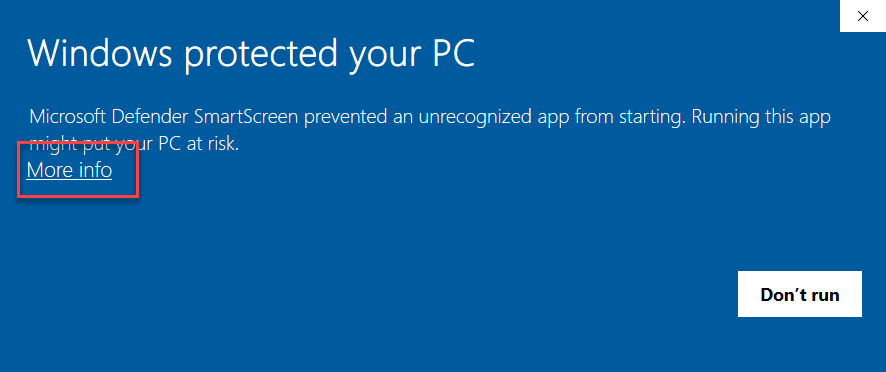
If Microsoft Defender complains about the MultiWalk download, click on More Info:
Click Run Anyway:
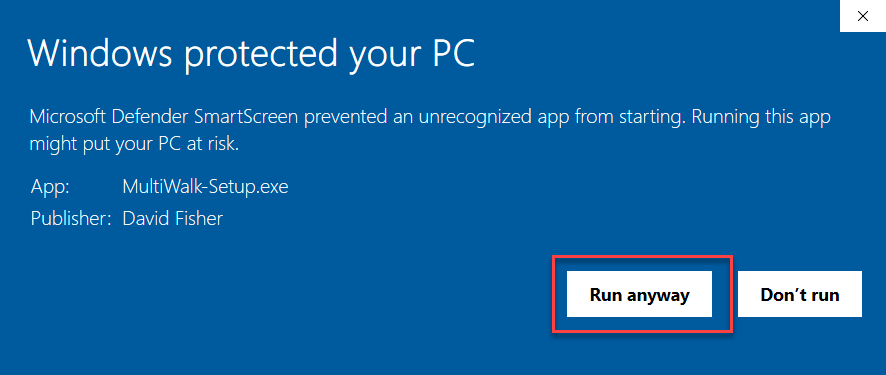
Notice that my name is the publisher. This is because I have a vetted code signing security certificate associated with the download!
Norton Antivirus
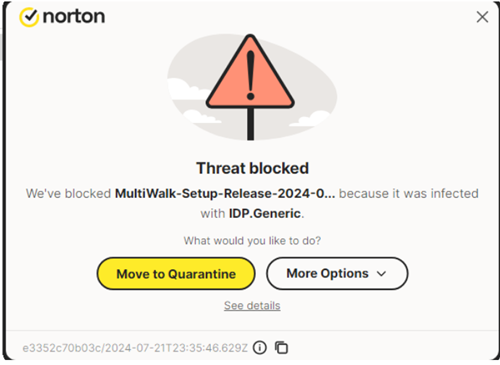
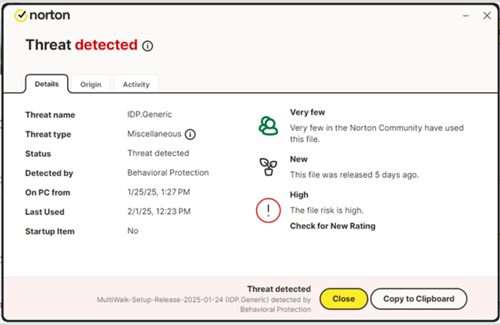
Norton will complain with any number of false-positive errors that may look like the following depending on your Norton version:
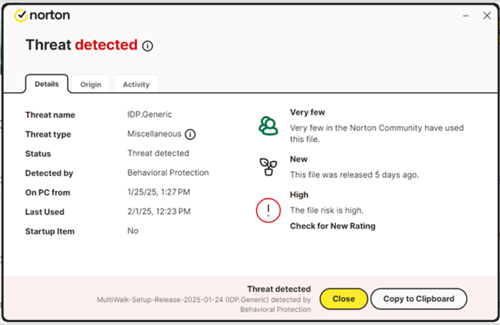
The Fix
So what can be done? Ignore this erroneous false-positive message. MultiWalk is NOT a threat to your system.
If you are running Norton (or any other virus software that erroneously flags MultiWalk as a threat), you can:
- Exclude the MultiWalk-Setup.exe download or your download folder from Norton’s detection system. Add them as an exceptions.
- Turn OFF Norton’s “downloader intelligence”
Norton gives instructions on how to do either of the above here:
https://support.norton.com/sp/en/us/home/current/solutions/v80629965
It is also possible to submit the download to Norton as a “false positive”, meaning that the download is legitimate and is erroneously being flagged as a threat. I will occasionally do this when I hear from a user that Norton has complained about a release, but I tend to make frequent releases to be responsive to the MultiWalk community of users, and can’t see allocating additional time to contact all the virus detection software products that are flagging MultiWalk downloads as threats. MultiWalk downloads conform to security industry standards.
So if this happens to you, please add the MultiWalk download as an exception or just disable the download detection features of these software products.