Installing Your MultiWalk License Key File
Your key file will have your name in the filename with the extension “.lic” such as “MultiWalkLicense (your-name).lic”. Please follow these steps to install your MultiWalk license key file.
1. If you have not already done so, click here to download MultiWalk.
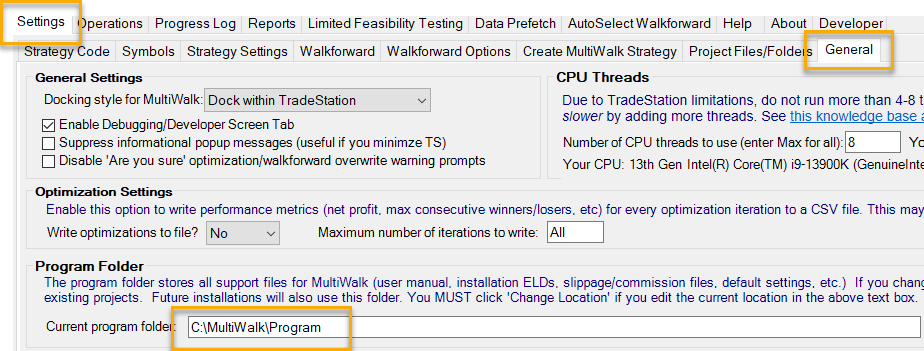
2. You will have received this key file via e-mail. Save the .LIC file to the MultiWalk program folder. Please keep this key file in a safe place. If you install MultiWalk on another computer, you will need to copy the key file to the MultiWalk Program folder. The default location is C:\MultiWalk\Program, or whatever location you chose when you installed MultiWalk.
If you are not sure where your MultiWalk program was installed, you can start MultiWalk if you have it installed and see the program folder name on Settings->General screen. Or, simply start the MultiWalk installation program.

3. Exit any instances of MultiWalk and re-load them.
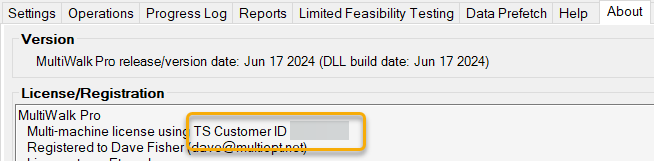
If you wish to confirm your license, you can view your license on the MultiWalk About screen.
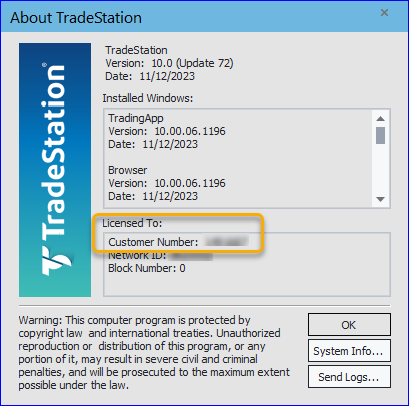
If you receive any license errors, please confirm the your TradeStation Custmer Number matches your MultiWalk license.
In MultiWalk, click “About” tab:
In TradeStation, click Help -> About TradeStation: