
Transferring MultiWalk Beta Projects to Official Release
Transfering Beta Projects to Official Release
When you install MultiWalk Beta, you will see two apps in TradeStation: MultiWalk Beta and MultiWalk Trader Beta.
When you install the official release of MultiWalk, you will see two apps in TradeStation: MultiWalk and MultiWalk Trader.
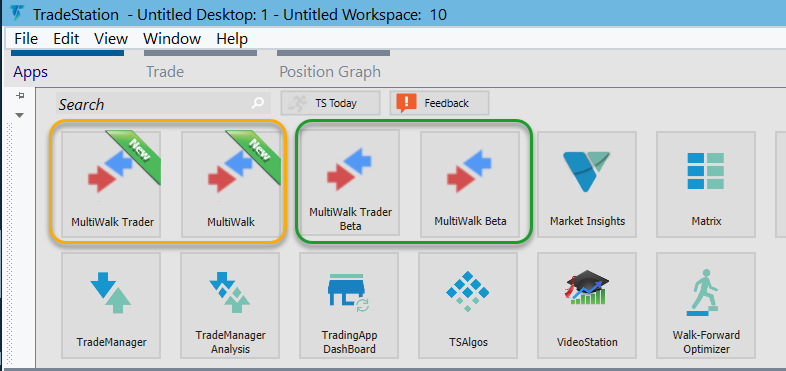
In order to transfer your project settings from a Beta release to the official release, perform the following steps.
Transferring MultiWalk Beta Projects
Open the MultiWalk Beta project. You will see the expiration screen:
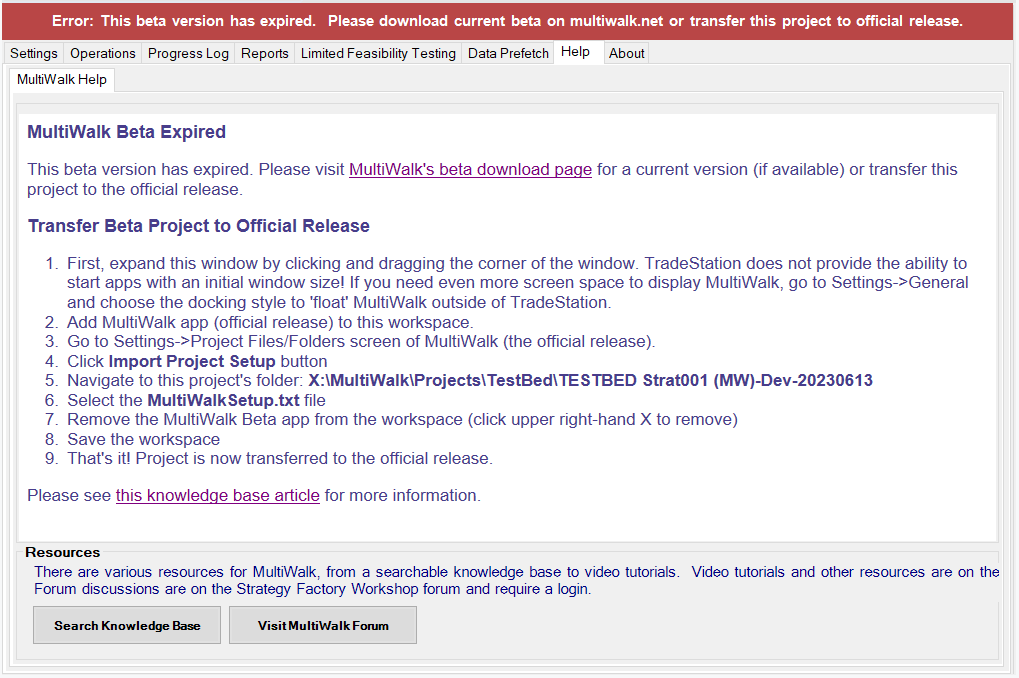
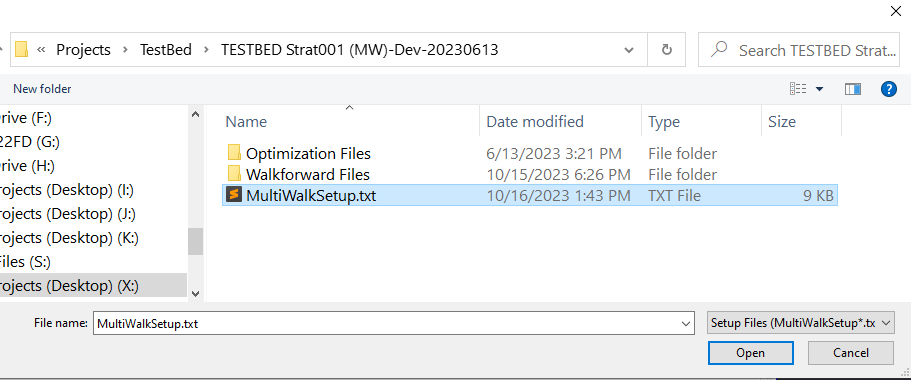
Add the release version of MultiWalk to the workspace and import the MultiWalkSetup.txt file from the project folder indicated in the help text. The project folder in this example is X:\MultiWalk\Projects\TestBed\TESTBED Strat001 (MW)-Dev-20230613.

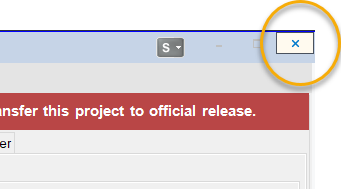
Remove the old beta version from the workspace by clicking the upper right-hand X.
That’s it! Your project is now transferred to the official release.
Transferring MultiWalk Trader Beta Projects
Open the MultiWalk Trader Beta project. You will see the expiration screen:
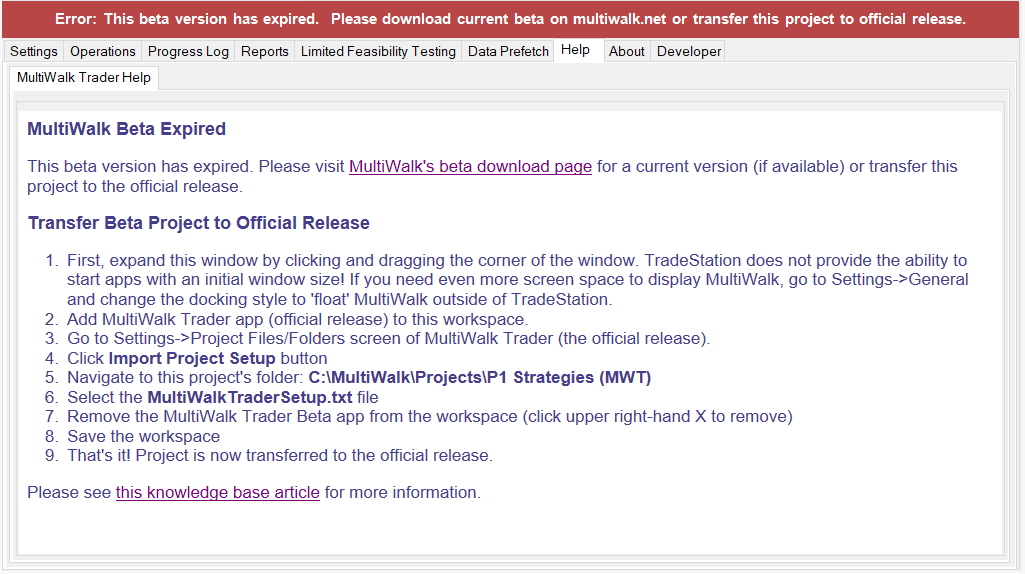
Add the release version of MultiWalk Trader to the workspace and import the MultiWalkTraderSetup.txt file from the project folder indicated in the help text. The project folder in this example is C:\MultiWalk\Projects\P1 Strategies (MWT).
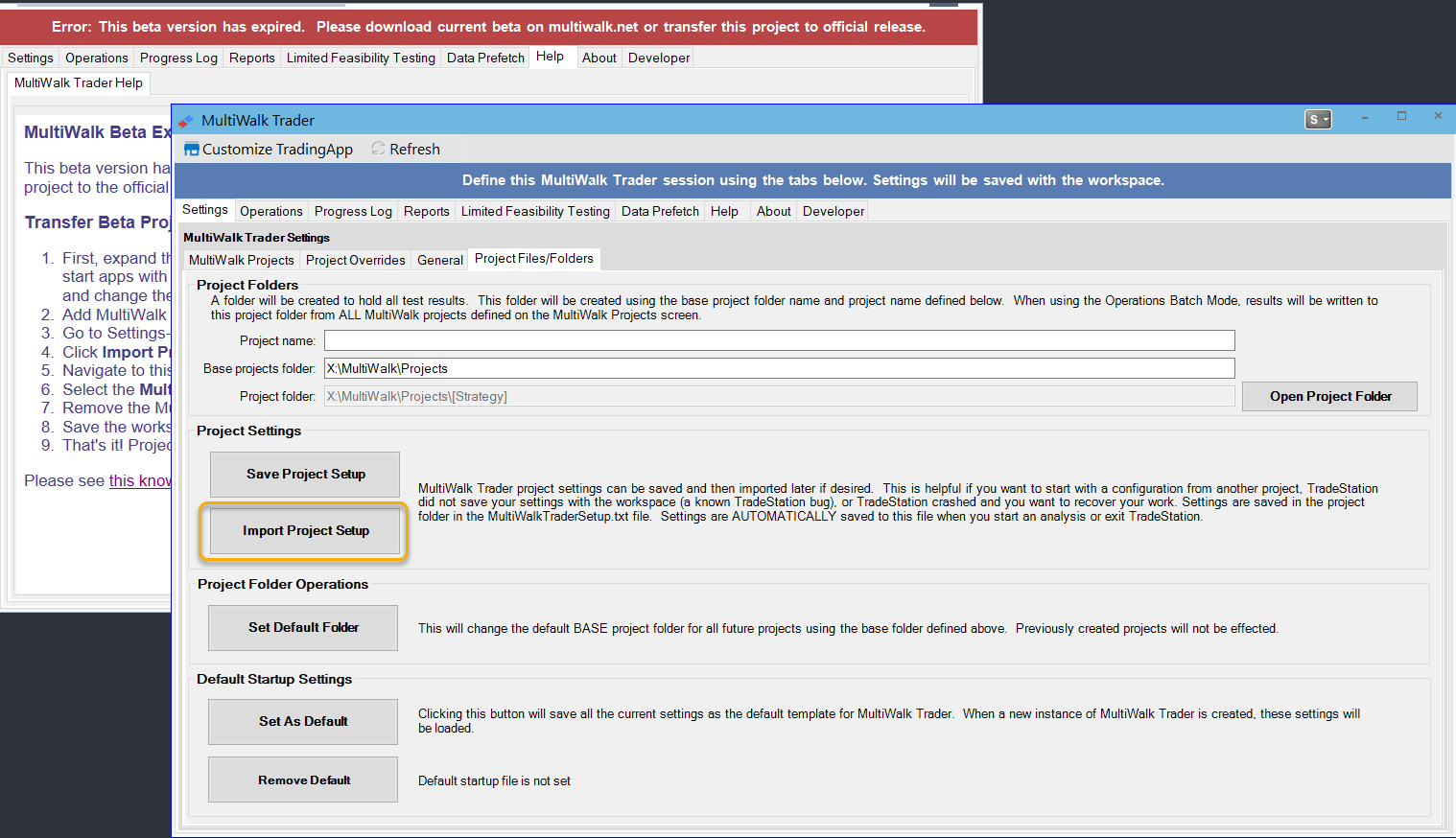
Remove the old beta version from the workspace by clicking the upper right-hand X.

That’s it! Your project is now transferred to the official release.